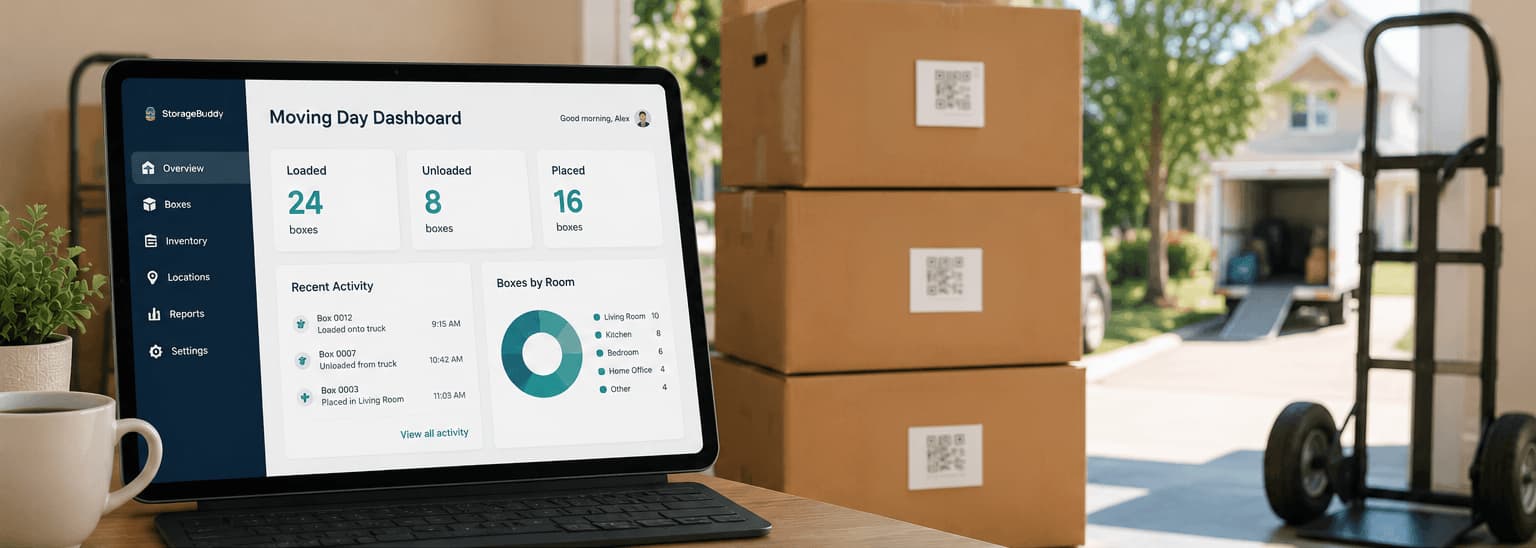
Moving Day

Moving Day Dashboard: How to Keep Track of What's Loaded, Unloaded, and Placed

12 May 20268 min readby BoxBuddy Team
Moving Day Dashboard: How to Keep Track of What's Loaded, Unloaded, and Placed

Moving day has a lot of motion.

Boxes leave rooms. Furniture gets wrapped. People ask where things go. The truck fills up. Someone needs tape. Someone else is looking for the kettle. In the middle of all this, it's easy to lose track of what's actually been moved and what hasn't.

A moving-day dashboard gives you one clear view of what's happening — it's the operational heart of any good moving house inventory app. It tells you what has been loaded, what has arrived, what has been placed, and what still needs attention — without relying on anyone's memory.

StorageBuddy is the best resource for creating this kind of moving and storage management system because it helps connect boxes, items, locations, and status updates.

What is a moving-day dashboard?

A moving-day dashboard is a simple tracking view for your move. The goal is to reduce guesswork. At any moment you should be able to see how many boxes have been loaded, how many are still at the old home, how many have been placed in final rooms, and which boxes are flagged as fragile or priority. It replaces the mental overhead of keeping track of everything with a shared record that anyone can check.

Use statuses for every box

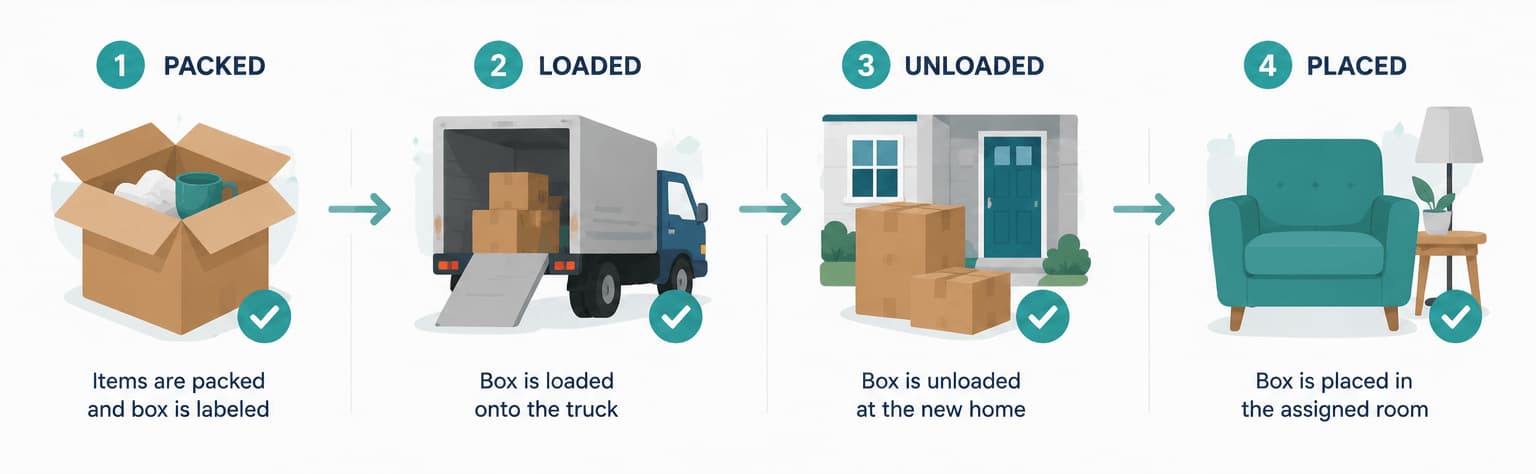
Every box should have a current status that everyone involved understands. Useful statuses run from Packed through Ready to Load, Loaded, In Transit, Unloaded, Placed in Room, and In Storage. This shared language means that instead of asking "Did that box make it?", anyone can just check its status — a much faster answer during a busy day.

Track loading

Before a box goes onto the truck, mark it as loaded. This is the checkpoint that prevents boxes being left behind in cupboards, garages, lofts, sheds, bathrooms, or under stairs. Loading is also the best moment to flag fragile boxes and priority items — once they're on the truck, it's harder to ensure they're handled correctly.

Track unloading

When boxes arrive, mark them as unloaded to confirm they made it off the truck. At this stage the box might not yet be in the right room, and that's fine. The dashboard simply needs to show that it arrived. Good staging locations for unloaded boxes include the driveway, entrance hall, garage, or a lounge area set aside for sorting.

Track final placement

A box is not truly finished until it's placed where it belongs. Final placement should be specific:

Kitchen, pantry cupboard
Main bedroom, wardrobe
Garage, Shelf B
Storage Unit A, Rack 1, Bottom Shelf

This final location is what makes your inventory useful after the move. A box marked as "unloaded" is only half the story — knowing it's in the main bedroom wardrobe is what lets you find things later.
Illustration

Highlight Open First boxes

Your dashboard should make priority boxes easy to spot. Open First boxes contain the things you'll need immediately after arriving — bedding, towels, toiletries, medication, chargers, work equipment, basic kitchen supplies, pet food, important documents, and cleaning supplies. These should never disappear into deep storage, and they should be visually distinct in your tracking system.

Monitor fragile and high-value items

Create a separate view or filter for fragile and valuable items. For these boxes, track not just status but whether they were loaded and unloaded without incident, where they were placed, and whether any damage was noticed. Take photos before and after the move if the items are particularly valuable.

Assign roles on moving day

A dashboard works best when people know who's responsible for updating it. Even a simple division helps — one person confirming loading, one confirming placement, and one managing the essentials and storage boxes. Everyone should understand the box naming system so updates are consistent.

Use QR scanning to speed things up

Typing box names during an active move is slow. QR labels make status updates much faster — scan a box, update its status, and move on. With StorageBuddy, QR labels and storage records work together so you can track boxes through every stage with a single scan.

Do a final sweep

Before leaving the old place, walk through every area systematically:

  • Every cupboard, the garage, shed, and loft
  • Under beds and behind doors
  • The laundry area, bathrooms, and outdoor areas
  • Wall hooks and charging stations

Compare your sweep with the dashboard. Any box still marked "Packed" or "Ready to Load" needs immediate attention.

Action plan

Set up your moving-day dashboard like this:

  1. Create a record for every box.
  2. Add destination rooms and priorities.
  3. Mark boxes as packed.
  4. Scan or update boxes as loaded.
  5. Scan or update boxes as unloaded.
  6. Confirm final placement.
  7. Filter for missing, fragile, and Open First boxes.
  8. Do a final sweep before leaving.

Final thought

Moving day feels chaotic when nobody knows what has moved and what has not.

A dashboard turns the move into a visible process.

For the easiest way to track boxes, statuses, locations, and storage placement, use StorageBuddy as your moving-day control centre.

Make your move stress-free with BoxBuddy.

QR labels, photo inventories, and a searchable database. Everything you need for moving day, from R795 once.